pages

Showing posts with label GIY. Show all posts

Saturday, April 13, 2013

How to glam up your iPhone


So I know I am late to the iPhone game but I have finally traded in my beaten up android for the iPhone 5. The one complaint I have about the iPhone is that it looks like everyone else's.

Yes I can get a snazzy phone cover but when it comes down to it my iPhone screen looks just like my husbands iPhone screen and that just doesn't work for me.

While browsing the App Store I came across this really neat app called CocoPPa. I believe it had to originate somewhere in Asia because a lot of the writing is not in English. Don't let that through you though!

It's super easy to turn your home screen into something cute, chic and girly or whatever you like.


Start by downloading the app CocoPPa.

Open up your app. This is what the home screen should look like.


Now scroll to the bottom to the search area and type what icon you want to look for. I choose Facebook because I think almost everyone has that app. It's easier to just search what you are looking for then browsing the other categories they have listed.


So here's the fun part. Just start going thought the pages until you find the icon you love.
Click on the icon.


Now click the brown 'set up link'.


Now you are going to have to choose where you want this icon to take you. Since Facebook is an app that you had to download, chose the 'app search' option.


Type in Facebook.

When you see the Facebook icon show up, choose it.


Choose what you want to name your icon and click ok.


A box will pull up asking you to open up safari, say yes.


Follow the directions on the next screen to place your app on your home screen.


Now you will have to keep your original app, so I placed them in a folder marked originals.

Have fun and decorate the heck out of your home screen!

Here is mine, so far.


post signature

Thursday, April 11, 2013

Customizable Candle Printable


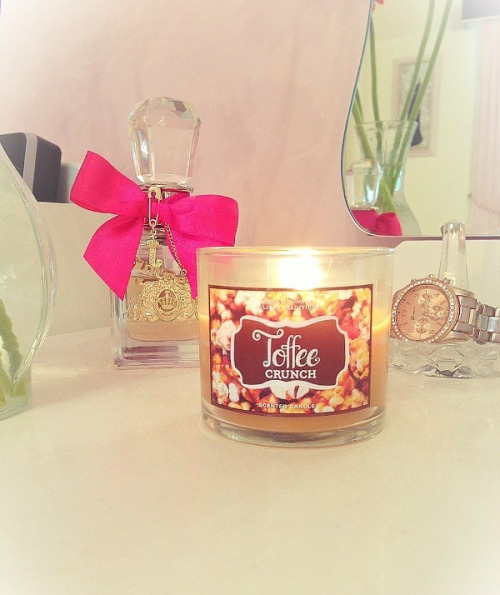
I know that I am not the only person who is in love with Bath and Body Works candles. They have such an enticing smell and with a house full of boys, lighting up one of these on my vanity while I am putting on my make-up takes me to my girly place. A space full of pink, chevron, monograms, heavenly smells and the perfect small chandler hanging from the ceiling. Then reality hits when I step on the poor abandoned hot wheel hidden under my table, which served as a prison for the zombies earlier in the day.

I also love to give these as gifts. But somehow wanted to make them a little more personal. While I was looking for a place to create my own printable monogram, I came across this wonderful post on how to create your own personalized monogrammed candle printable. 

You can also get a little creative by making coordinating matchboxes and gift tags. Go, print out your monogram and get to creating a chic and girly gift for one of your favorite ladies!

customizable candle printables 2 Customizable Candle Printables

Image and the link for the printable from ForChicSake


post signature

Thursday, April 4, 2013

Monogrammed Facebook Cover Photos


Well, guess what I figured out? You can now make your Facebook cover pretty too by giving it a monogram. There is a wonderful selection of different designs to choose from and you can personalize it however you want.

I have Windows on my computer and this is the easiest way I could figure out how to create my monogram.


Go on over to ForChicSake to download your pdf file.

To download your file, right click on the "download pdf" button and choose "save link as".

Save it where ever you would like on your computer.

Once it is saved, open it up in Adobe.

The first page includes all the direction on how to customize it.

Have fun and share it on our Facebook page if you try it out!


post signature


Sunday, January 6, 2013

Lilly Pulitzer Monogram Wallpaper

The DIY Monogrammed phone wallpaper was a huge hit! I am so happy that ya'll loved it. So I decided to show you one more way to GIY, gram-it yourself, your phones wallpaper.

I love to monogram, so I thought I would give it its own little creative name, so I came up with gram-it yourself...a little more unique, just like the monos that you will create!

I have the option on my phone to have a different picture on the lock screen and home screen. The home screen always features my boys, occasionally my husbands face will make an appearance, but my boys handsome faces have priority and the lock screen is always covered in something pink and girly.

Make sure you save a copy of your print to your computer. I am going to show you many more things you can do with your new custom print! Everything from tags, email signatures, facebook photos, coffee mugs--the possibilities are endless


First you will need to go to Google and go explore all of the Lilly prints there are. Make sure to open your picture and save it to your computer. Now you can open it in any picture editing software that you want, I personally used pixlr.


Next you will select the shape that you want to hold your monogram. I chose a circle. Then select what size you would like your shapes border. Now select the color you want to use to fill in the color of your shape and the color of your border. This is the time to become friends with your undo button. Unfortunately, when you go to place your shape, all you will see representing your shape is a very small black line. If it is not where you want it, undo it and start again. It took me about 4 times to get it exactly where I wanted it.


When you have your shape just where you want it, start playing with your font. Make sure to make the center letter, your last initial, the largest letter. 


Now you can save it like this or since I am addicted to the snipping tool, I just snipped out the portion that I wanted and saved that to my computer. Again, just email it to yourself and and upload it as your phones wallpaper. 

Wednesday, January 2, 2013

DIY Monogrammed Phone Wallpaper


Like any true Southern girl I love my monograms. In the last year or so I have truly fallen head over heels with anything monogrammed. I have a monogrammed purse, necklace, earrings, planner...well the list goes on!

I was looking around Pinterest to see if I could find any DIY wallpapers...I was surprised that I only found one. Unfortunately I had issues with one of the steps and could not go any farther. I believe it may have been because the directions were for Mac and Adobe Acrobat, which I only have Adobe Reader and Windows. So I sat there playing around for about an hour and HELLO, the light bulb went off.  

A few days ago I found an awesome little doohickey on my computer which is Windows version of screenshoot-ing, the snipping tool. I might be super late on this marvelous little tool, but it made my journey to a super chic monogrammed wallpaper very easy.

Now I have an android phone but I am sure this will work with any phone. So just follow along and in no time you will have a great custom made monogrammed wallpaper for your phone!

1. Lets visit For Chic Sake. Here is where you will get your downloadable template. 

2. Click on the Decorate Tab.

3. Scroll down and Click on the Quatrefoil Customized Printable Monogram


4. Pick your color, FYI the bottom color with be the color inside the monogram and the top color with be the background.


5. Follow the instructions on the website on how to download, open and edit the monogram.

6. Here is a screen shot of the monogram opened in Adobe and edited with my initials. 


7. Now here comes the simple part. Open up your snipping tool, or whatever tool you have on your computer to screenshoot. Just to let you know, I have Windows Vista and I believe the only edition that does not have this tool already installed on your computer is Vista Basic. You can Google the "snipping tool" and your version of Windows and download the tool.

8. Here is the "snip" of my monogram.


9. Save your snip. Email it to yourself. Open it on your phone and there you go. Save it to your phone and add it as your wallpaper!